First, go to www.admin.tyrewise.co.nz
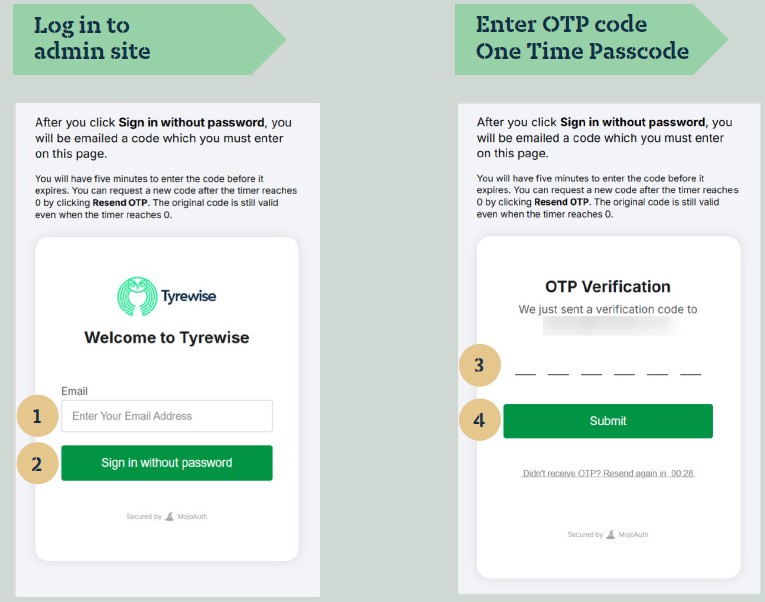
1. Enter your Tyrewise account details
- email address
2. Click 'Sign in without password'
3. Check e-mail for OTP (one time pin)
- Sent from 'noreply@tyrewise.co.nz'
- Enter OTP code
4. Click 'Submit'
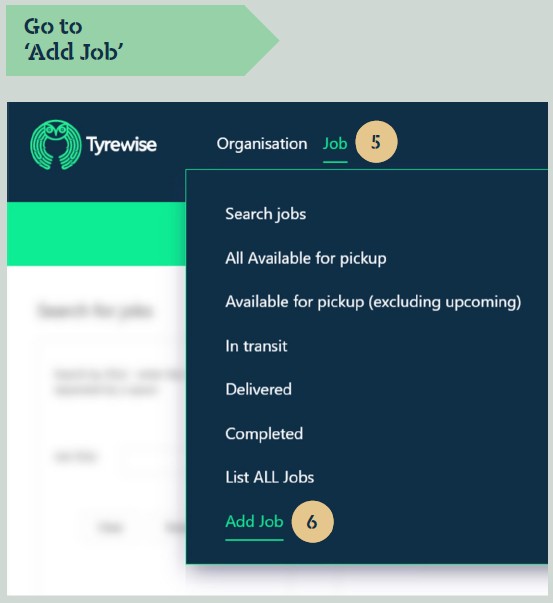
5. Click on 'Job'
6. Click on 'Add Job'
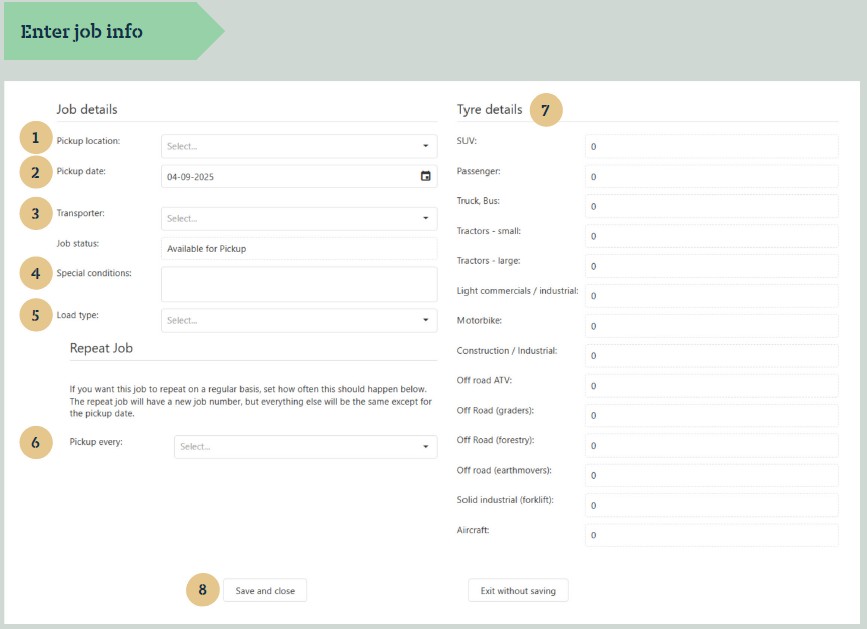
1. Select 'Pickup location'
2. Select desired 'Pickup date'
3. Select desired 'Transporter'
4. 'Special conditions' optional - type instructions for the transporter
5. Select desired 'Load type' - typically 'loose tyres'
6. 'Repeat Job' - Leave blank or select desired frequency
7. Enter 'Tyre details'
- Number of tyres for each tyre type
- Doesn't need to be exact; driver will enter actual tyre counts during job pickup
8. Click 'Save and close'
NOTE: You can view the newly created job by going to 'Search jobs', then click 'Search by Job details'
Please click here to download the guide on creating a job pickup/adding a job
You can also click here to watch a video about how to book a tyre a pickup job
Was this article helpful?
That’s Great!
Thank you for your feedback
Sorry! We couldn't be helpful
Thank you for your feedback
Feedback sent
We appreciate your effort and will try to fix the article